

The transition to working from home promised liberation: no commutes, comfortable clothing, and complete control over our environment. Yet, for millions of professionals, remote work has quietly degraded physical health.
Kitchen island stools, soft living room couches, and dining room tables have replaced commercial-grade office furniture. We spend eight to ten hours a day folded into makeshift seating arrangements, hunched over laptop screens that force our heads into unnatural downward angles.
The damage rarely arrives with sudden, acute trauma. Instead, it develops through low-grade, unrelenting biomechanical compensation.
Your musculoskeletal system is an interconnected tensegrity structure. When one segment shifts out of alignment, surrounding muscles, tendons, and connective tissues must fire continuously to keep you upright.
By late afternoon, the nagging stiffness in your trapezius, the dull ache in your lumbar spine, and the heavy tension behind your temples are not just signs of mental exhaustion—they are the direct physical toll of poor ergonomics.
The Physics of Forward Head Posture
The human head weighs between 10 and 12 pounds (4.5 to 5.4 kg) in a neutral, upright position, balanced directly over the cervical spine. In this neutral alignment, the structural bones of your vertebrae support the load, requiring minimal muscular effort to keep your head steady.
When you look down at a laptop screen resting flat on a desk, your neck flexes forward. As your head tilts forward, the effective weight placed on your cervical spine increases dramatically:
- 0 degrees (Neutral): 10–12 lbs of force on the neck
- 15 degrees forward: ~27 lbs of force
- 30 degrees forward: ~40 lbs of force
- 45 degrees forward: ~49 lbs of force
- 60 degrees forward: ~60 lbs of force
Head Angle vs. Effective Cervical Load:
0°  [Neutral]  ======> 10-12 lbs
15° [Slight]   =============> 27 lbs
30° [Moderate] =====================> 40 lbs
45° [Severe]   ============================> 49 lbs
60° [Laptop]   ===================================> 60 lbs
Sitting with a 45-degree forward tilt places roughly 50 pounds of sustained tension across the posterior neck and upper back muscles.
These muscles were designed for short bursts of stabilization, not hours of continuous eccentric contraction. Over weeks and months, this strain leads to chronic trigger points, reduced cerebral blood flow, and compression of cervical nerve roots—often masquerading as tension headaches.
The Workspace Diagnostic: Setting Up Your Ergonomic Baseline
Fixing your posture does not require thousands of dollars in commercial furniture. It requires establishing correct spatial relationships between your eyes, hands, spine, and feet.
Work through these essential adjustments in order:
1. The Monitor: Aligning Eye Line and Focal Distance
The top third of your display should sit directly at eye level when sitting upright. If you work from a laptop, using it directly on a desk forces an unhealthy compromise: your hands might be positioned well, but your neck is severely flexed.
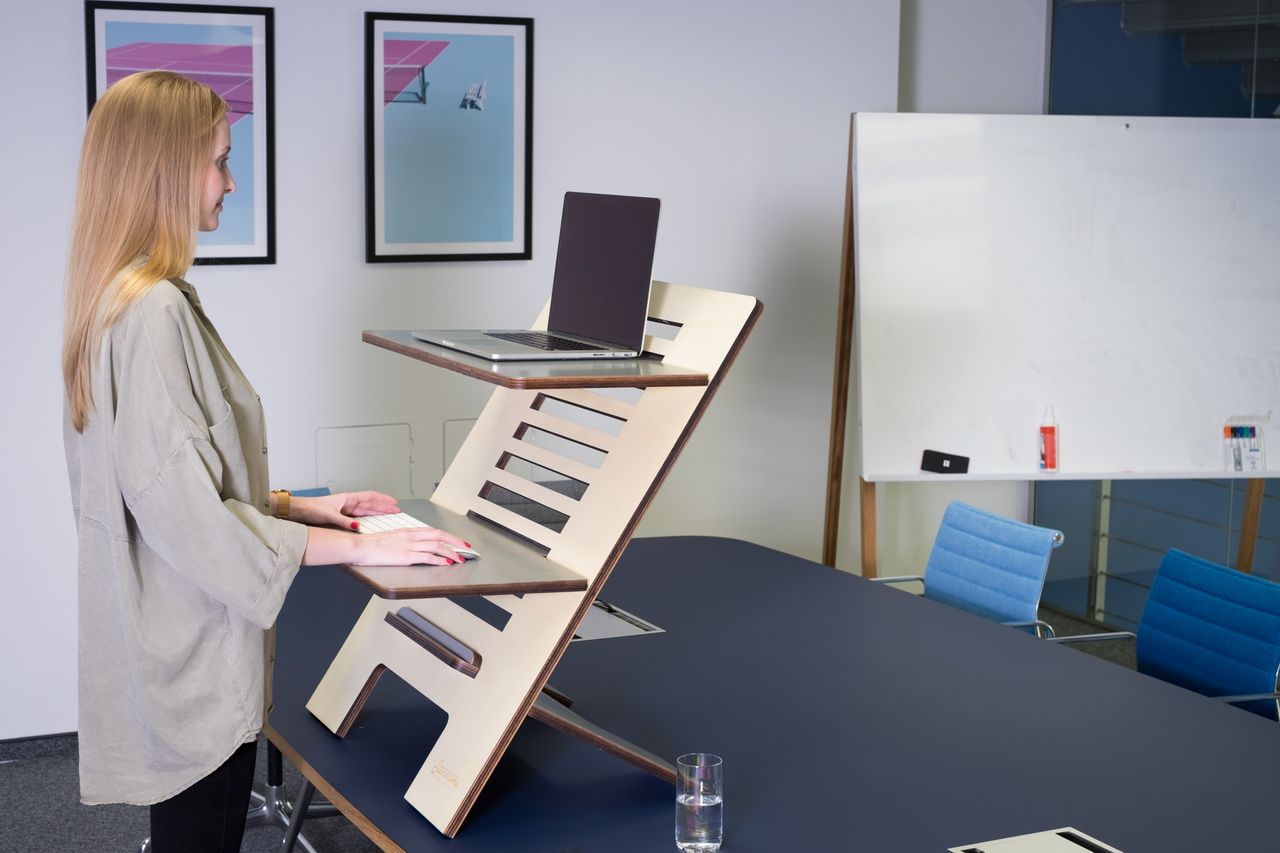
- The fix: Elevate your laptop using an adjustable riser, a monitor arm, or a stack of sturdy books.
- The mandatory accessory: Once you raise the screen, you must use an external keyboard and mouse. Never type on a laptop keyboard resting on a riser, as doing so introduces acute wrist extension and shoulder strain.
- Focal distance: Position your screen approximately an arm’s length away (20 to 28 inches). If you find yourself leaning forward to read text, do not move your head—increase your operating system’s display scaling to 110% or 125%.
2. The Elbow-to-Desk Angle: Neutral Forearm Support
Your shoulders should hang naturally without tension, and your elbows should rest at an open angle between 90 and 100 degrees.
- If your desk is too high (a common issue with standard 29-to-30-inch dining tables), your shoulders will shrug upward into your neck to keep your hands on the keys, creating upper-back tension.
- If your desk cannot be lowered, raise your chair until your forearms are parallel to the floor, and place a firm footrest underneath your feet to support your lower body.
- Keep your wrists straight in a neutral position while typing. Avoid resting your wrists heavily on hard desk edges while actively typing; use palm rests only between bursts of typing.
3. Lumbar Support and Hip Angle
When you sit, the natural inward curve of your lower back—the lumbar lordosis—tends to flatten out, especially as abdominal and spinal muscles fatigue. This flattening increases pressure inside your intervertebral discs.
- Hip positioning: Sit all the way back in your chair until your sacrum contacts the backrest. Your hips should be level with or slightly higher than your knees (a hip angle of 90 to 105 degrees). This preserves the natural tilt of your pelvis.
- Lumbar support: If your chair lacks built-in lumbar adjustment, place a small, rolled towel or an inexpensive lumbar cushion at the curve of your lower back (just above your beltline).
- Clearance: Ensure there is a two-finger gap between the edge of your seat cushion and the back of your knees to prevent restricting blood flow through the popliteal fossa.
The Feet: Grounding the Kinetic Chain
Your feet must rest flat on the floor to support the weight of your lower limbs.
When your feet dangle, your pelvis rocks backward, flattening the lumbar spine and forcing the muscles of your lower back and hip flexors to carry excess weight. If raising your chair leaves your feet unsupported, use an ergonomic footrest, a yoga block, or a firm box.
Avoid crossing your legs or tucking one foot under your thighs. While these asymmetrical positions feel comfortable initially, they rotate the pelvis, twist the lumbar spine, and compress the sciatic nerve over time.
The Dynamic Posture Principle
The best posture is dynamic, not rigid. Maintaining any single position—even an ergonomically perfect one—causes static muscle fatigue and restricts blood circulation.
To stay comfortable and alert throughout the day, build simple shifts into your work routine:
- The 30-Minute Micro-Shift: Every half hour, lean back slightly into your chair’s backrest for two minutes, letting the chair carry your weight.
- The 60-Minute Reset: Stand up, walk across the room, open your chest by clasping your hands behind your back, and look up at the ceiling to reverse forward head posture.
- Alternate Between Sitting and Standing: If you use an adjustable sit-stand desk, avoid standing for eight hours straight. The optimal ratio is 45 minutes of sitting followed by 15 minutes of standing, or a 2:1 ratio (e.g., 40 minutes sitting, 20 minutes standing).
Ergonomic Workspace Setup Checklist
+------------------+-------------------------------------------------------+
| Body Segment     | Ergonomic Standard                                    |
+------------------+-------------------------------------------------------+
| Eyes & Screen    | Top 1/3 of monitor at eye level; arm's length away.   |
| Shoulders        | Relaxed, down, not shrugged upward.                  |
| Elbows & Wrists  | Elbows at 90°-100°; wrists flat in neutral position.  |
| Lower Back       | Supported by firm cushion maintaining natural curve.  |
| Hips & Thighs    | Hips level with or slightly above knees.              |
| Feet             | Planted flat on the floor or on a stable footrest.    |
+------------------+-------------------------------------------------------+
By dialing in these ergonomic foundations, you remove physical strain from your workday. Your muscles will no longer spend energy simply fighting gravity, leaving you with less physical soreness and more mental stamina when the workday ends.




2 thoughts on “The Remote Work Trap: How Subtle Biomechanical Strain Accumulates”